
Download USB Flash Backup – USB backup, flash drive backup, automatic backup, file backup, data protection, secure backup, portable backup, data safety
Overview
USB Flash Backup is a lightweight productivity tool designed to streamline the process of safeguarding digital files using USB flash drives. The application addresses the common challenge of manual data backup by introducing automation, allowing users to protect important documents, photos, and other files with minimal intervention. By detecting the insertion of a designated USB drive, the software triggers predefined backup routines, ensuring data is consistently preserved without requiring user reminders or active participation. This makes it particularly useful for individuals and small teams who prioritize data safety but lack the time or technical expertise to manage complex backup systems.
The target audience includes home users, students, and professionals who rely on portable storage for file transfers and archiving. Given its focus on simplicity and reliability, the app serves as a practical solution for those seeking a low-cost, hands-free backup method. While the developer, USB FlashBackup, has not provided additional background information, the app’s long-standing presence in the market since its release on November 12, 2007, suggests a proven track record of stability and functionality. Real-world use cases include backing up daily work documents, preserving personal photo collections, or maintaining versioned backups of project files across multiple devices.
Within the broader productivity ecosystem, USB Flash Backup occupies a niche role—offering a straightforward alternative to cloud-based solutions or more complex backup software. Its reliance on physical media aligns with growing concerns over data privacy and internet dependency, making it a relevant tool for users who prefer local, offline data protection. Despite its age, the app remains functional for basic backup needs, particularly in environments where internet access is limited or security is a primary concern.
Key Features & Functionality
- Automatic Backup Trigger: The software detects the insertion of a pre-configured USB drive and automatically initiates the backup process. This eliminates the need for manual intervention, ensuring consistent protection of critical files.
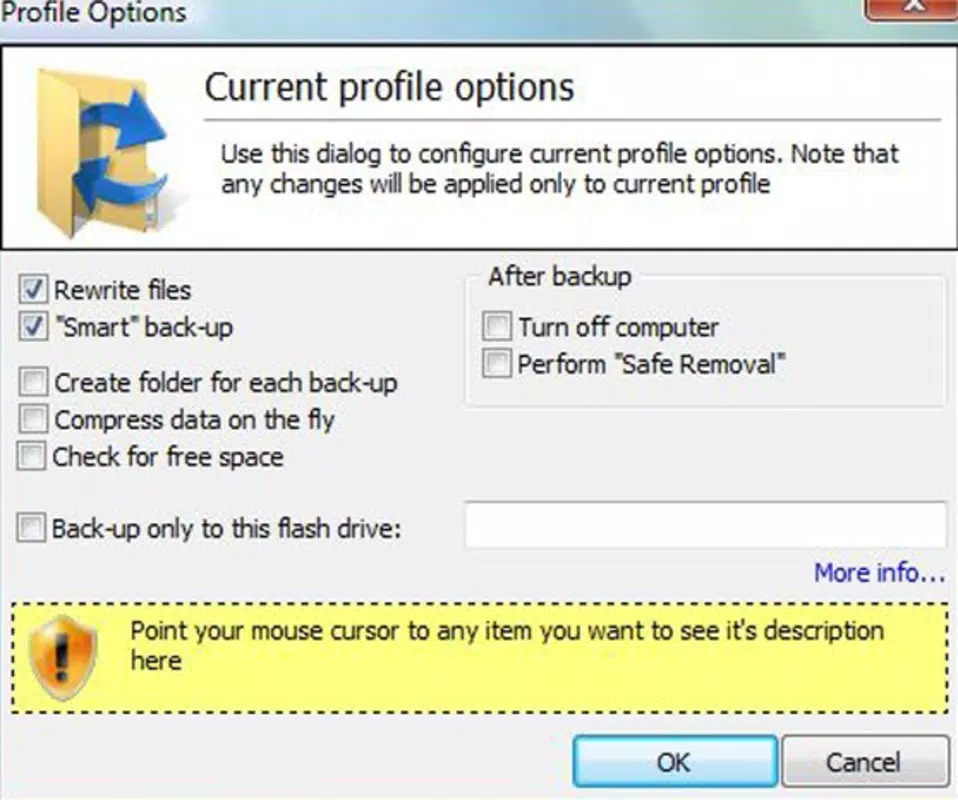
- User-Defined Backup Profiles: Users can create multiple profiles tailored to different USB drives. Each profile allows customization of specific folders and files to be backed up, enabling flexible workflows across various devices or use cases.
- Simplified Setup Process: During initial configuration, users select the desired files and folders. Once saved, the app retains these settings and applies them automatically when the corresponding drive is connected.
- Cost-Effective Data Preservation: By leveraging affordable, high-capacity USB flash drives, the tool provides a budget-friendly alternative to cloud storage subscriptions or external hard drives.
- Hands-Free Operation: After setup, the backup process runs in the background with no user input required, ideal for users seeking a reliable, passive data protection method.
For example, a student might configure one profile for a USB drive used in a lab setting, automatically backing up coursework and research materials. Similarly, a freelance designer could use a separate profile for a drive used during client meetings, ensuring project files are always up to date. The app’s focus on automation and simplicity makes it a dependable utility for routine data preservation tasks.
Interface, UX & Performance
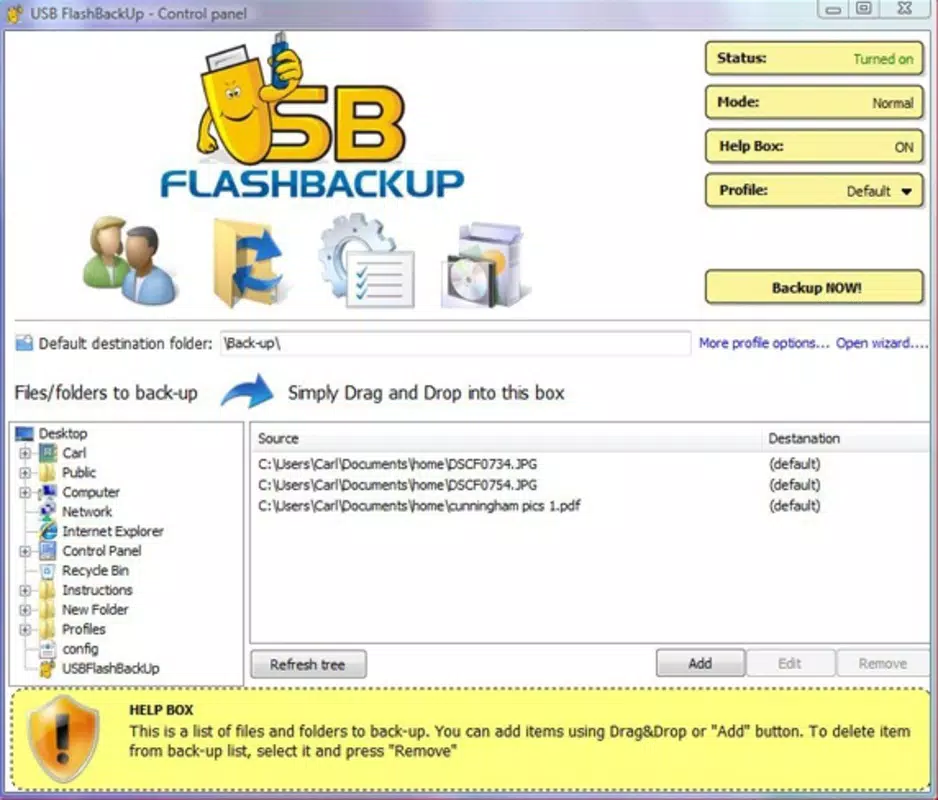
The user interface of USB Flash Backup is designed with minimalism and functionality in mind. It presents a clean, no-frills layout that prioritizes essential controls, allowing users to quickly navigate through setup and configuration options. Navigation is linear and intuitive, with clearly labeled sections for selecting files, defining profiles, and managing backup schedules. The visual style reflects its long-standing presence in the software landscape—functional rather than modern, but effective for its intended purpose.
Interaction flow is straightforward: users select folders, assign them to a profile, and designate the target USB drive. Once configured, the app runs silently in the background, notifying users only when a backup is completed or if an error occurs. Although the developer did not list formal performance metrics, the app’s small file size of 1.8 MB suggests efficient resource usage. It is expected to operate smoothly on a wide range of Windows systems, including older hardware, without significant impact on system performance.
Responsiveness is consistent during setup and execution, with minimal lag reported in typical use scenarios. Stability appears reliable, particularly for basic backup operations. However, since no specific compatibility details were provided, users should ensure their system meets general Windows requirements for running legacy applications. The app does not appear to consume high CPU or memory resources during operation, which supports its role as a lightweight utility.
Platform Compatibility & Technical Requirements
USB Flash Backup is designed for the Windows platform and is available in version 1.0.0. The application has a file size of 1.8 MB, making it highly portable and suitable for deployment on systems with limited storage capacity. The developer did not specify minimum OS requirements, so compatibility with modern Windows versions (such as Windows 10 or 11) cannot be confirmed with certainty. However, given its release date in 2007, it may require compatibility mode or older system configurations to function properly on newer operating systems.
Users should verify that their system supports the execution of legacy Windows applications. The app does not appear to require additional runtime libraries or third-party dependencies, which simplifies installation. It is intended for use with standard USB flash drives that are recognized by the operating system. No specific hardware requirements were disclosed, but its lightweight nature suggests it will run on most Windows-based desktops and laptops.
Pros and Cons
- Free to download and use, eliminating cost barriers for users
- Automatically triggers backups upon USB insertion, reducing user effort
- Supports multiple backup profiles for different drives and use cases
- Minimal system resource usage due to small file size
- Provides a secure, offline backup method using physical storage
- Release date is over 15 years old, raising concerns about long-term support
- Developer did not provide compatibility details for modern Windows systems
- No visible update history or future development roadmap
- Interface lacks modern design elements and may appear outdated
- Does not support cloud integration or network-based backup options
FAQ
Is USB Flash Backup safe to download and use?
The app is free and available from its official source. However, as with any legacy software, users should ensure they download it from a trusted source and scan the file with up-to-date antivirus software before installation.
Can I use USB Flash Backup on Windows 10 or Windows 11?
Compatibility with newer Windows versions is not confirmed. The app may require compatibility mode or specific system settings to run properly. Users are advised to test it in a controlled environment first.
Does USB Flash Backup support automatic backups on a schedule?
Backups are triggered only when a designated USB drive is inserted. The app does not support time-based or scheduled backups independent of USB connection.
Can I back up files from multiple drives at once?
The software is designed to work with one USB drive at a time, per profile. Users must manually switch profiles or drives to back up different sets of data.
Is there a mobile version of USB Flash Backup?
No mobile version is available. The app is exclusively designed for the Windows platform and does not support Android or iOS devices.
Final Thoughts & CTA
USB Flash Backup remains a functional and straightforward tool for users seeking a no-frills, automatic backup solution using USB flash drives. Its ability to initiate backups with a simple plug-in action makes it ideal for individuals who value simplicity, data privacy, and offline storage. While the interface and technical foundation are dated, its core functionality continues to serve a niche but valid need in personal and professional data protection.
For those who prioritize cost-effective, reliable, and hands-free file backup without relying on cloud services, this app offers a compelling alternative. It is particularly beneficial for users working in environments with restricted internet access or those who prefer to maintain full control over their data.
Despite its age, USB Flash Backup demonstrates enduring utility for basic backup tasks. Its lightweight design and free access make it a worthwhile option for users with straightforward data preservation needs.
Download USB Flash Backup now


